PlanToCode Desktop
A Mac workspace for steering coding agents through real project sessions, inspectable command output, referenced files, web research, generated artifacts, git review, and runtime controls.
What the app makes visible
- The active project, past sessions, and current agent thread.
- The prompt, attachments, dictation, screenshots, video, skills, model settings, access mode, and queued follow-ups used to steer the work.
- Command output, tool activity, web research, referenced files, generated artifacts, timeline history, and run state.
- Changed-file counts, raw and rendered diffs, inline code review, and commit-draft readiness.
Run the work where the repository lives.
Desktop is the authoritative workspace: it owns local project access, session history, Codex thread state, and the review surface around every run.
Project-based sessions
Pin repositories, switch projects, search and reorder sessions, open detached session windows, and keep each agent thread attached to the codebase it is changing.
Codex chat continuity
Start new agent turns, import existing Codex chats, edit or reorder queued follow-ups, send queued guidance now, steer active work, or stop a run when the evidence says to redirect.
Context-rich prompts and controls
Use chat, file attachments, pasted images, screenshots, recorded video, dictation, saved skills, model override, reasoning level, speed mode, access mode, and context remaining to explain the next move.
See what the agent used before you trust the result.
The core benefit is not another blank prompt box. It is a readable session record that exposes the command output, files, sources, and changes behind the answer.
Commands and tool activity
Review terminal output, tool calls, reasoning notes, run updates, parent or subagent timelines, and progress state alongside the conversation instead of hunting through raw logs.
Files, folders, and generated artifacts
Open referenced source files, browse folders, inspect generated artifacts, and follow code paths from the agent response into the repository.
Web research and previews
Keep researched websites, documentation previews, media previews, PDFs, videos, and source links visible as part of the session context.
Make the final call with the diff in front of you.
PlanToCode keeps review close to the running session so you can decide whether to continue, redirect, or ship.
Git review
Open changed-file counts, file trees, raw patches, rendered markdown diffs, and inline code diffs before drafting a commit.
Reusable skills
Browse verified global, project, and external-repository skills, inspect source files, see trust and verification warnings, and apply durable guidance without rewriting it.
Runtime and comfort controls
Tune appearance, sidebar and code font sizes, dictation provider and vocabulary, model profile, CLI choice, launch arguments, diagnostics, onboarding, background or tray behavior, notifications, and video analysis.
Slots for real walkthroughs and screenshots.
These placeholders reserve the product moments that need real videos or current screenshots as release materials are produced.
Real session walkthrough
Show a task moving from prompt to command output, file references, diff review, and follow-up.
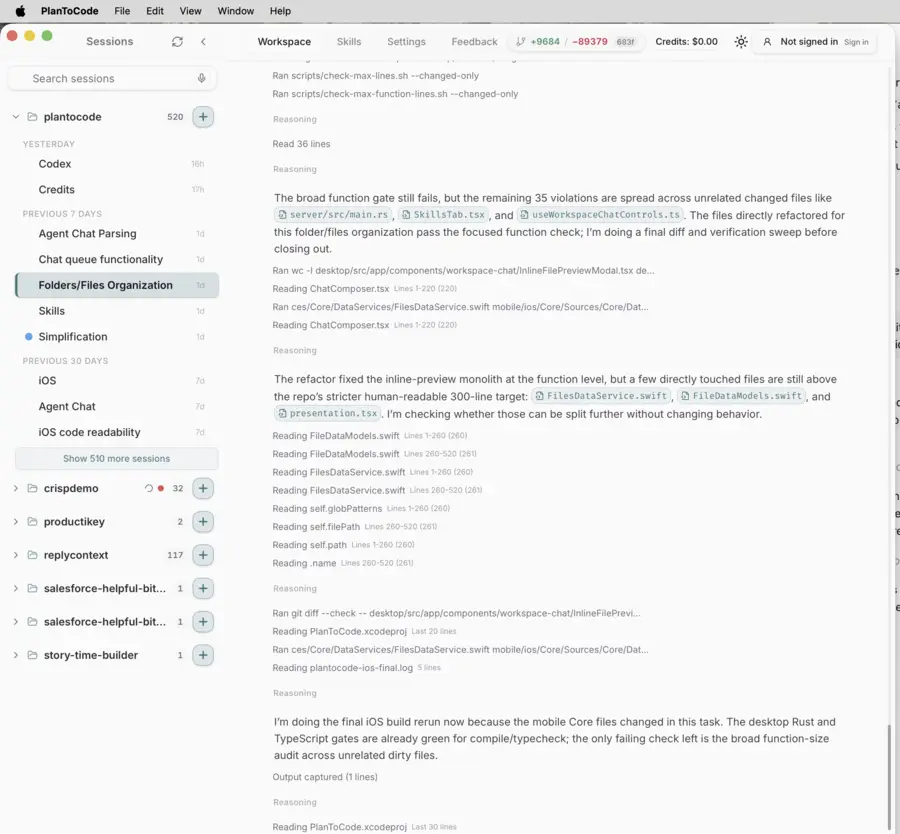
Agent evidence timeline
Capture command activity, web research, file previews, and generated artifacts in one session.
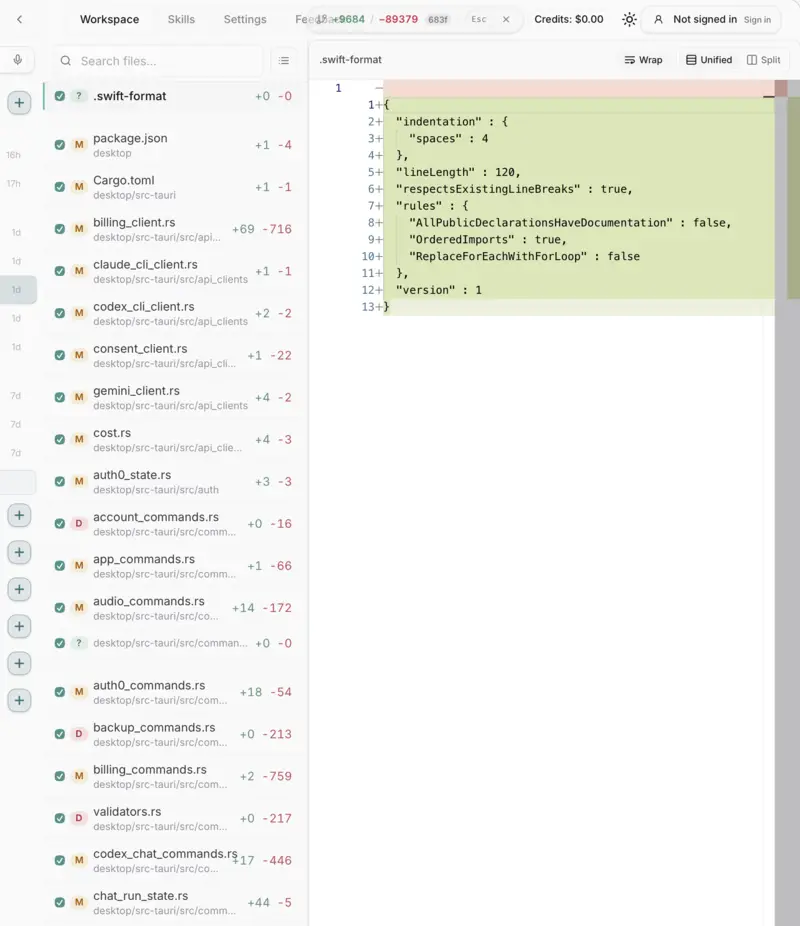
Git review moment
Show changed files, patch viewing, and commit-draft readiness.
Dictation and skills
Demonstrate voice vocabulary and reusable project guidance feeding a real agent turn.